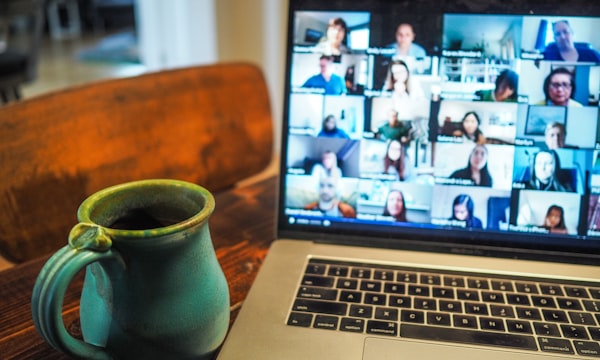
Remote depositions were once an exception. Today, they are the norm.
The shift that began in 2020 has become permanent. Courts have updated their rules to explicitly permit remote deposition practice, attorneys have developed efficient remote workflows, and the technology has matured significantly. In 2026, a well-executed remote deposition is indistinguishable in quality and legal validity from an in-person one, provided you follow the right practices.
This guide covers everything you need to know to run remote depositions that produce clean records, protect your client's interests, and hold up in court.
Why Remote Depositions Are Now Standard Practice
The legal basis for remote depositions existed long before 2020. Federal Rule of Civil Procedure 30(b)(4) has permitted depositions "by telephone or other remote means" for decades. What changed in 2020 was not the rule, it was widespread adoption forced by necessity, followed by permanent rule amendments in most states that formalized remote practice.
The practical benefits that emerged from widespread adoption include:
- Significant cost savings: Eliminating travel for attorneys, witnesses, and reporters in multi-city depositions can save thousands of dollars per proceeding
- Scheduling efficiency: Remote depositions are easier to schedule across time zones and around witness availability constraints
- Expanded access to reporters: Attorneys are no longer limited to reporters available in the city where the deposition takes place
- Equivalent transcript quality: When properly conducted, remote deposition transcripts are legally identical to in-person transcripts
Remote depositions are fully valid in all 50 states. The court reporter's license, not the physical location of the parties, is what gives the transcript its legal authority. A properly conducted remote deposition transcript is just as admissible as an in-person one.
Choosing the Right Platform
Platform choice affects everything from exhibit handling to breakout room availability to recording quality. Not all platforms are equal for legal use.
Zoom
The most widely used platform for remote depositions. Familiar to most participants, reliable performance, supports recording and screen sharing. Lacks deposition-specific features but works well for most matters.
Microsoft Teams
Works well for firms with existing Microsoft infrastructure. Good for internal coordination, but less commonly used for depositions and may be unfamiliar to opposing counsel and witnesses.
Key Platform Features to Look For
- Breakout rooms for attorney-client consultation during breaks
- Secure exhibit portal with pre-loading capability
- Screen annotation tools for highlighting documents
- Recording that captures all participants simultaneously
- Waiting room functionality to control participant entry
Technology Checklist: Setting Up for Success
Technology failures are the most common disruption in remote depositions. Most are preventable with proper preparation. Complete this checklist the day before your deposition, not the morning of.
Attorney Technology Checklist
- Camera: Position at eye level, not below (avoid the ceiling angle). Use the built-in camera or an external webcam, avoid front-facing phone cameras propped up at an angle
- Lighting: Light should come from in front of you, not behind. A window behind you creates a silhouette. Use a ring light or desk lamp aimed at your face
- Microphone: A dedicated USB microphone or wired headset significantly improves audio clarity. Laptop microphones pick up keyboard sounds and room noise that can interfere with the court reporter's transcription
- Internet: Use a wired Ethernet connection rather than Wi-Fi whenever possible. If Wi-Fi is your only option, ensure you are within range of the router. Have a mobile hotspot as a backup
- Platform test: Log into the deposition platform using the exact setup you plan to use during the deposition. Test screen sharing with the exhibit files you plan to use
- Background: Use a neutral, professional background, a plain wall or simple virtual background. Avoid busy or distracting environments
- Do Not Disturb: Disable notifications, close unneeded browser tabs, and put your phone on silent
Witness Preparation for Remote Depositions
Attorneys defending witnesses in remote depositions have an additional obligation: preparing the witness for the remote format itself, not just the substance of their testimony.
What to Tell Your Witness Before the Deposition
- Find a private, quiet location: The witness should be alone in a room with a closed door. Other people visible or audible in the background creates complications for the record and can distract the witness
- Test their technology: Walk through the platform with the witness before the deposition day, not 10 minutes before the session starts. Confirm their camera, microphone, and internet connection work properly
- Explain the pause and repeat rule: In remote depositions, witnesses should pause slightly before answering to allow for any transmission delay. Overlapping speech is harder to capture accurately and creates transcription problems
- No documents unless shown by counsel: Instruct the witness not to have any documents, notes, or devices at their station other than what you have authorized. In a remote setting, what is visible on camera matters
- Wait for the oath: The court reporter will administer the oath at the start of the deposition, just as they would in person. Remind the witness to treat the remote proceeding with the same seriousness as appearing in a courtroom
Remote depositions create unique risks around coaching. Be explicit with your witness that communications with counsel during the deposition, including text messages and chats, may be discoverable or may need to be disclosed if the deponent is questioned about them. Establish a clear protocol for breaks and attorney-client communication before the deposition begins.
Exhibit Handling in Remote Depositions
Exhibit management is the area where remote depositions diverge most significantly from in-person practice, and where poor preparation causes the most problems.
Pre-Marking and Pre-Sharing Exhibits
Where possible, pre-mark your exhibits and share them with all parties at least 24 to 48 hours before the deposition. This allows opposing counsel to review them in advance and eliminates the time lost during the deposition while waiting for exhibits to load or be identified. Your court reporter can pre-mark exhibits with exhibit stamps before the deposition begins when given a complete exhibit list in advance.
Screen Sharing Best Practices
- Have all exhibit files open and ready to share before the session begins, do not search for files while participants are waiting
- Share a single window rather than your entire screen to avoid exposing confidential files
- Zoom into the relevant portion of the document being discussed so the witness can clearly read it
- When using screen annotation tools, use sparingly, highlighting too much of a document can create confusion in the record
- State clearly for the record which exhibit is being displayed and its exhibit number every time you share a new document
Exhibit Portals
Dedicated legal platforms typically include secure exhibit portals where all exhibits are pre-loaded and accessible to all parties. These portals create a clean, controlled exhibit record and avoid the confusion that can arise when exhibits are shared via screen sharing alone. If your platform supports it, upload your exhibit set to the portal the day before the deposition.
Objections and Ground Rules
Remote depositions benefit significantly from agreed-upon ground rules established before the proceeding begins. Set these stipulations at the start of the deposition, on the record.
Standard Remote Deposition Stipulations to Address
- All parties agree that the deposition is being conducted by remote means pursuant to applicable rules
- The court reporter will administer the oath by video means, which the parties stipulate has the same legal effect as an in-person oath
- Objections will be stated concisely and will not be speaking objections (consider whether applicable rules require this)
- All parties agree to use the platform breakout room function during breaks, parties confirm they will not communicate with the deponent during questioning except through proper breaks
- Any technical interruption of 30 seconds or more will result in stopping the deposition until the issue is resolved, with the last question and answer repeated for the record
The Remote Oath: How Court Reporters Administer It
Administering the oath remotely is a routine part of modern court reporting practice. Here is how it typically proceeds:
- All parties connect to the platform and confirm they can see and hear each other clearly
- The court reporter introduces themselves for the record and states the case information, date, time, and location of all parties
- The reporter asks the witness to state and spell their full name for the record
- In many jurisdictions, the reporter will ask the witness to display photo identification to the camera
- The reporter asks the witness to raise their right hand and administers the standard oath: "Do you swear or affirm that the testimony you are about to give is the truth, the whole truth, and nothing but the truth?"
- The witness affirms, and the deposition proceeds
The remote oath has been tested in courts across the country and is uniformly recognized as legally valid. A witness who lies under a remotely administered oath is equally subject to perjury statutes as one who lies in a courtroom.
Transcript Quality: Making Remote Records Admissible
The quality of a remote deposition transcript depends on factors within your control. Attorneys who take these considerations seriously consistently produce cleaner, faster, and more reliable transcripts.
Audio Quality Is the Primary Variable
Poor audio quality is the leading cause of transcription difficulties in remote depositions. The court reporter can only transcribe what they can clearly hear. Background noise, overlapping speech, and low-quality microphones all force the reporter to make judgment calls, increasing the risk of error. Using a quality microphone, eliminating background noise, and instructing all participants to speak clearly and avoid interrupting each other produces measurably better transcripts.
Speaker Identification
Always identify yourself by name when beginning a new line of questioning if there are multiple attorneys on the call. The court reporter attributes testimony to the speaker on record, clear identification ensures the transcript accurately reflects who asked each question. The reporter will identify the witness's answers, but attorneys with similar speaking patterns can create speaker-attribution ambiguity in the record.
Spelling Courtesy
When using proper names, technical terms, product names, or unusual legal terminology, spell them out for the court reporter. This is good practice in any deposition but is especially important remotely, where audio quality may affect the reporter's ability to parse unfamiliar words. A brief "for the record, that is spelled..." after introducing any unusual term takes five seconds and prevents transcript errors.
Confirm Certification Requirements
Before the deposition, confirm that your court reporter is licensed in the state where the deposition is being taken (typically the state where the witness is located for remote depositions). Some states require the reporter to hold the license of the state where the witness is physically present; others apply the rules of the state where the action is pending. Your reporter should be able to advise on this, or find a reporter with the appropriate credentials on CourtReporters.com.